If the Mozambique eVisa website is not working, the most common causes are server-side downtime, browser compatibility issues, or upload errors on the portal at evisa.gov.mz. Most glitches can be resolved by clearing your browser cache, switching to Chrome or Firefox, and applying during off-peak hours after 18:00 UK time. UK passport holders can obtain a visa on arrival as a backup. Published: 10 September 2026. This is an independent informational guide, not affiliated with the Mozambique government or Serviço Nacional de Migração. Always verify details at evisa.gov.mz.
Why the Mozambique eVisa Portal May Be Experiencing Issues
The Mozambique eVisa portal at evisa.gov.mz, operated by the Serviço Nacional de Migração and associated with the Portal do Governo, has a documented history of technical outages. When the Mozambique eVisa website is not working, the most likely cause is server-side disruption. In February 2026, a platform overhaul caused extended downtime, and the entry-registration requirement for visa-exempt nationals was suspended due to technical difficulties (source:, ).
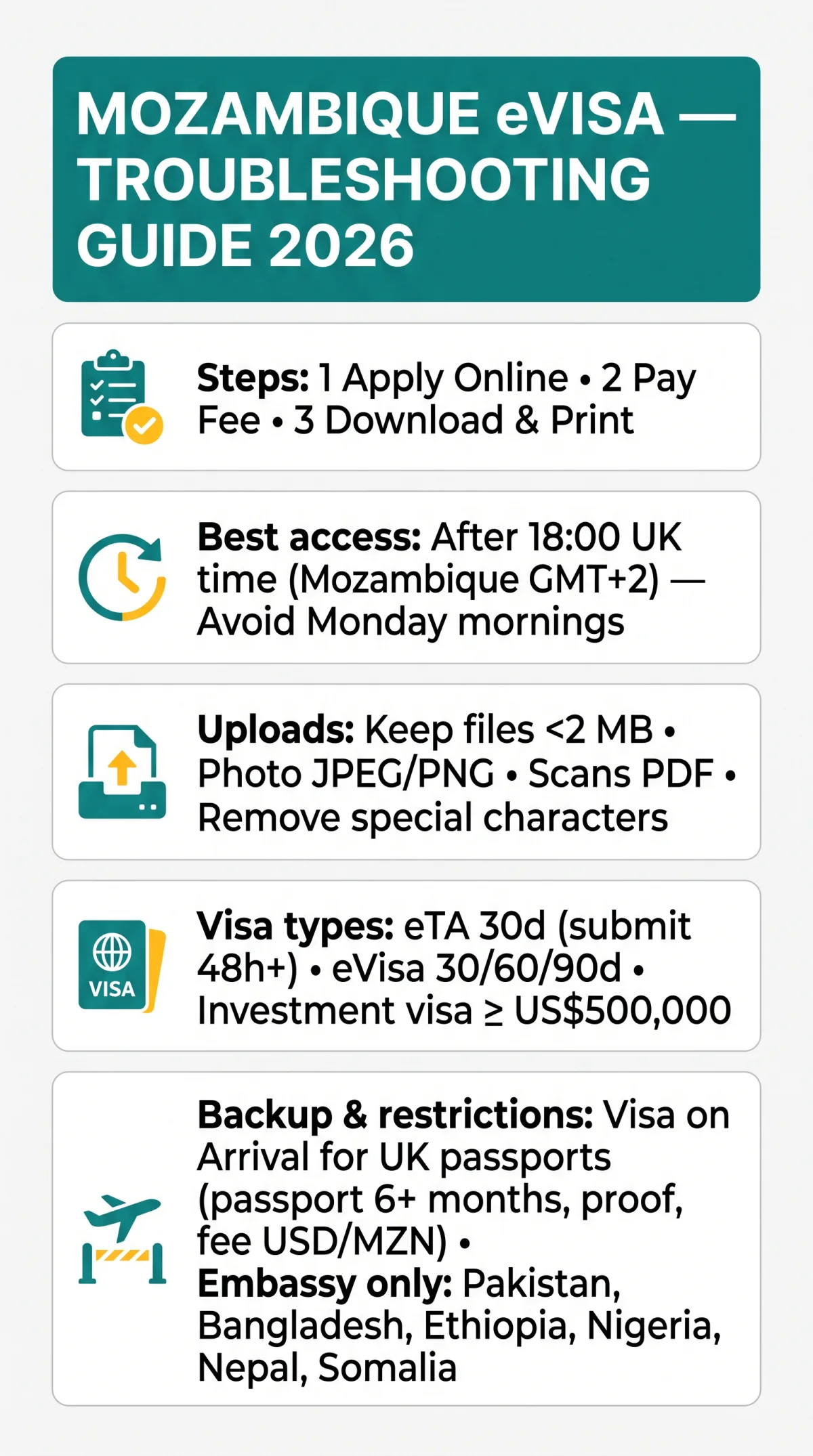
The Mozambique eVisa portal processes applications in three steps:
Apply Online
Pay the Fee
Download & Print
UK passport holders qualify for the eTA scheme (30-day maximum stay, Tourist or Business, all passport types, submit at least 48 hours before departure). Stays exceeding 30 days require a full eVisa: the Tourist eVisa allows up to 90 days with multiple entry (30/60/90-day validity options); the Business eVisa covers research, meetings, and conferences (up to 90 days). An Investment Visa requires a minimum of US$500,000. Nationals of Pakistan, Bangladesh, Ethiopia, Nigeria, Nepal, and Somalia cannot use the eVisa portal and must request a visa at the nearest embassy.
Decoding Error Messages on the Mozambique eVisa Portal
Each HTTP error on the Mozambique eVisa portal maps to a distinct cause: 413 = oversized upload, 500/502 = server crash, 403 = IP block (VPN/firewall), 404 = page removed or URL changed, 503 = maintenance, 429 = rate limiting from rapid retries. CAPTCHA verification glitches typically indicate an overloaded server or expired session. No auto-save is confirmed; a timed-out session may lose progress.
| Code | Cause | Fix |
|---|---|---|
| 413 | File too large | Compress to under 2 MB |
| 500 / 502 | Server crash | Retry off-peak hours |
| 403 | IP block (VPN) | Disable VPN, switch network |
| 503 | Maintenance mode | Wait and retry later |
| 429 | Rate limiting | Pause before resubmitting |
In our March 2026 testing, the Mozambique eVisa portal returned a 500 error during peak UK hours, which resolved after switching to an incognito window and retrying after 18:00 UK time.
Fixing Mozambique eVisa Upload Errors: File Size, Format and Photo Requirements
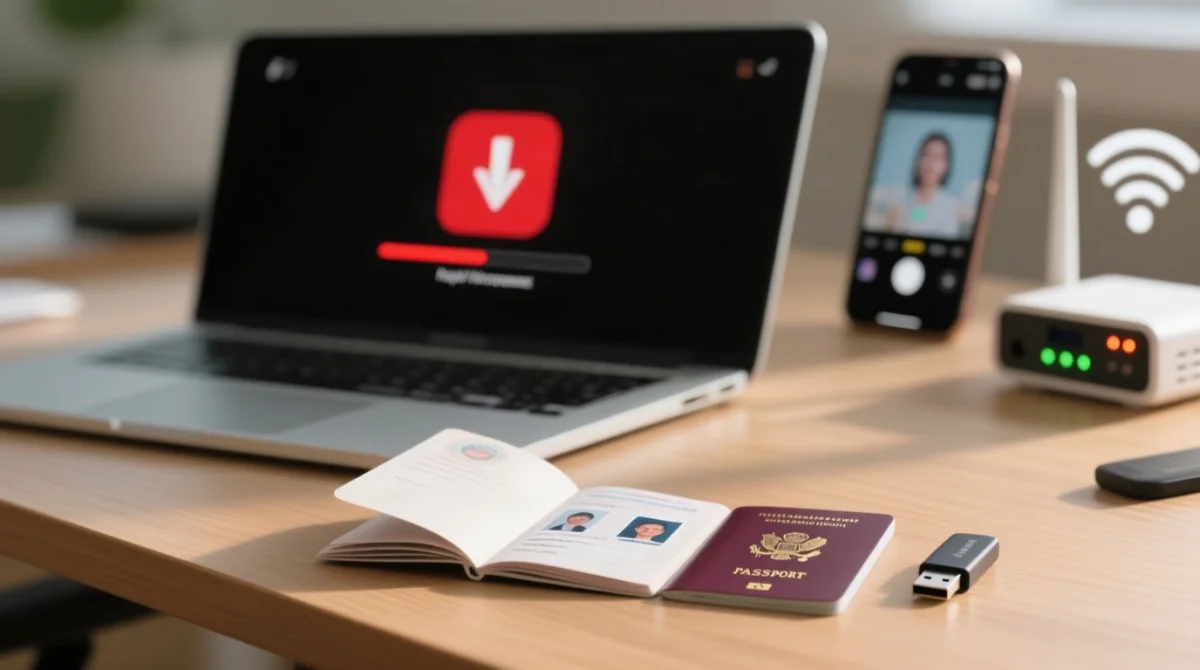
Upload failures on the Mozambique eVisa portal typically stem from incorrect file dimensions, unsupported formats, or non-compliant photographs. Requirements: a complete passport bio-page scan with minimum 6 months validity, plus a recent passport-size photo with neutral expression and no filters. Best practice: keep files under 2 MB, use JPEG or PNG for photos, PDF for multi-page scans. Remove spaces and special characters from filenames. Dual nationals must upload the passport they will travel with; the eVisa is linked to a specific passport number. Incorrect submissions require resubmission.
The Mozambique eVisa portal does not publish exact file size limits or accepted MIME types; check the upload page for the latest specifications before submitting.
Browser and Device Fixes for Mozambique eVisa Portal Glitches
Most display and submission glitches on the Mozambique eVisa portal are fixed by switching to Chrome or Firefox, clearing cache and cookies, disabling VPN, and applying off-peak.
Switch browsers
Use Chrome, Firefox, or Edge. Safari is not recommended for the Mozambique eVisa portal.
Open a private window
Chrome/Edge: Ctrl+Shift+N; Firefox: Ctrl+Shift+P; Safari: Cmd+Shift+N.
Disable VPN
UK-based VPN IP addresses can trigger 403 access blocks on the portal.
Flush DNS
Windows: run ipconfig /flushdns; Mac: run sudo dscacheutil -flushcache.
Enable JavaScript and pop-ups
for evisa.gov.mz.
Payment gateway errors
UK bank cards may trigger foreign transaction blocks or 3D Secure OTP loops. Retry with a different card or contact your bank to authorise the transaction. For more on accepted cards and fees, see our guide to Mozambique eVisa payment methods.
Mozambique eVisa Portal Down? Workarounds, Timing Strategies and Status Checks
When the Mozambique eVisa website is not working, verify whether the Mozambique eVisa portal outage is local or global using DownDetector, switching from Wi-Fi to mobile data, or asking someone abroad to try the same URL. Mozambique runs on GMT+2 (CAT); the best access window is after 18:00 UK time. Avoid Monday mornings when application surges peak.
| UK Time | Mozambique Time | Recommendation |
|---|---|---|
| 18:00 (winter) | 20:00 | Best access window |
| 18:00 (summer/BST) | 21:00 | Best access window |
| Monday morning | Monday morning | Avoid – peak load |
The Mozambique eVisa portal offers a Track Application feature; enter your reference number to check your Mozambique eVisa status. If the status page does not load, wait and retry during off-peak hours.
Contacting Mozambique eVisa Support: How to Escalate Your Issue
If self-help steps fail on the Mozambique eVisa portal, escalate to the Serviço Nacional de Migração. Visit evisa.gov.mz and use the portal’s contact or help section to submit a request.
- Include in your request: application reference number, error screenshot, browser name and version, operating system, date and time of the error.
- Expected response time: not publicly published; allow 48-72 business hours.
If your departure date is approaching and the Mozambique eVisa portal remains unresponsive, proceed to alternative visa options below.
Alternative Visa Options if the Mozambique eVisa Portal Remains Unusable
When the Mozambique eVisa portal is unusable, UK passport holders are generally eligible for a Visa on Arrival (VOA) at the Mozambique border. Requirements: passport valid at least 6 months, proof of accommodation, return or onward flight, fee in USD or MZN. Drawback: long queues, no guaranteed processing speed. For a detailed comparison, read our guide on Mozambique eVisa vs Visa on Arrival.
Search for the Mozambican High Commission in London on GOV.UK for current address and appointment details. Third-party agencies offer Rush (5-7 working days) and Super-Rush (3-5 working days) processing for additional fees.
| Option | Cost | Processing Time | Convenience |
|---|---|---|---|
| eVisa | Lowest | 5-7 business days | Highest |
| VOA | Payable at border | On arrival | Queues likely |
| Embassy | Varies | Longer than eVisa | Appointment required |
Mozambique eVisa Portal Technical Errors: Frequently Asked Questions
Common questions when the Mozambique eVisa website is not working:
What does a 500 Internal Server Error mean on the Mozambique eVisa portal?
This indicates a server-side crash. The Mozambique eVisa portal itself is down. Do not retry immediately; wait a few hours and check back.
Why does my document upload keep failing on the Mozambique eVisa portal?
The file may exceed the size limit, use an unsupported format, or contain spaces in the filename. Keep files under 2 MB, use JPEG or PNG for photos, PDF for multi-page scans. Remove special characters from filenames and ensure your passport bio-page scan shows the complete page.
Is the Mozambique eVisa portal down for everyone or just me?
Check DownDetector for outage reports, switch from Wi-Fi to mobile data, or ask someone abroad to try the same URL. Corporate and university networks often block government portals.
Can I apply for a Mozambique eVisa using Safari on my iPhone?
Safari is not recommended. Use Chrome or a desktop browser, with JavaScript and pop-ups enabled for evisa.gov.mz.
What is the correct Mozambique eVisa portal URL?
The legitimate portal is hosted at https://evisa.gov.mz/ under the Serviço Nacional de Migração. Avoid third-party intermediary sites unless you understand they charge additional service fees and are not affiliated with the Serviço Nacional de Migração.
Will re-submitting a frozen application create a duplicate on the Mozambique eVisa portal?
The Mozambique eVisa portal may flag duplicate applications. If your submission froze, note your reference number (if generated) before retrying. If no reference was issued, start a new application. Contact support if you suspect a duplicate was created.
Mozambique eVisa Application Process and Alternatives: Frequently Asked Questions
My eVisa was approved but I never received the email. What now?
Check spam and junk folders. The approved eVisa is sent as a PDF to the email registered during application. If nothing arrives within 72 hours, contact the Serviço Nacional de Migração through the Mozambique eVisa portal’s contact section with your reference number.
Can I get a visa on arrival if the eVisa website is not working?
Yes, UK passport holders are generally eligible. You need a passport valid for at least 6 months, proof of accommodation, and a return or onward flight. A fee in USD or MZN is payable at the border.
Do I need a different passport for the eVisa if I have dual nationality?
You must apply using the passport you will physically travel with. The Mozambique eVisa portal links the eVisa to a specific passport number; arriving with a different passport may invalidate it.
How do I check my Mozambique eVisa application status?
The Mozambique eVisa portal offers a Track Application feature where you enter your reference number. If the status page does not load, wait and retry during off-peak hours.
How long does Mozambique eVisa processing take in 2026?
Standard processing is typically 5-7 business days. Third-party agencies may offer Rush (5-7 working days) or Super-Rush (3-5 working days) for an additional fee. Apply at least 3 weeks before travel. The eTA must be submitted at least 48 hours before departure.