Log in at https://evisa.gov.mz using the email and password from registration. UK applicants must verify their email via a confirmation link before accessing the dashboard. The Mozambique High Commission in London no longer processes tourist or business visas; all applications must go through the government portal. Updated 11 September 2026.
The Mozambique eVisa Portal is operated by the Mozambique National Immigration Service (Serviço Nacional de Migração). UK travellers are eligible for the eTA for tourist or business purposes for stays up to 30 days. All applications must go through the government platform at evisa.gov.mz.
How to Access the Mozambique eVisa Portal and What You Need Before Registering
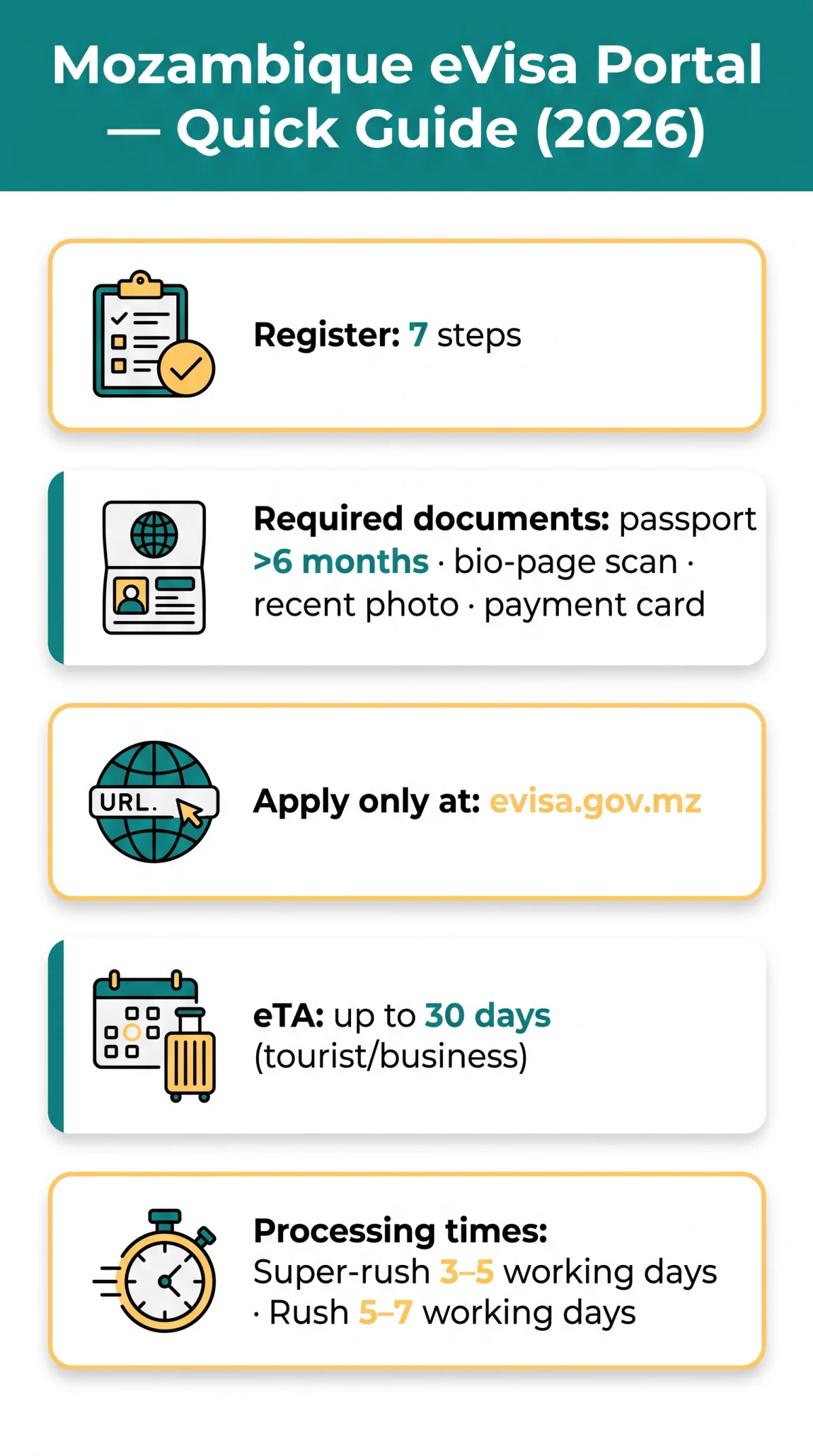
Before logging in, UK travellers need a valid passport, scan, photo, email, and payment card to use the Mozambique eVisa Portal at evisa.gov.mz.
Portal URL and Government Affiliation
The Mozambique eVisa Portal at evisa.gov.mz is affiliated with Portal do Governo. Per the Mozambique National Immigration Service regulation published at evisa.gov.mz (accessed 11 September 2026), passport validity must exceed 6 months from the intended date of arrival.
eVisa vs eTA
eTA: up to 30 days, tourist/business. eVisa: longer stays (Investment minimum US$500,000, Crew, Humanitarian, Oil & Gas). Submit at least 48 hours before departure.
What to Prepare Before Creating Your Account
Before registering on the Mozambique eVisa Portal, prepare: passport with 6 months validity, complete colour bio-page scan, recent photo (neutral expression, no enhancement), active email (login credential), and payment card. Dual passport holders must use the passport they will travel with, as it cannot be changed after submission.
Ineligible Countries and Third-Party Warning
Pakistan, Bangladesh, Ethiopia, Nigeria, Nepal, and Somalia citizens must apply at the nearest embassy. Only evisa.gov.mz is the government-operated platform; commercial third-party agencies are not affiliated with the Mozambique National Immigration Service. The High Commission no longer issues tourist/business visas. The High Commission is at 21 Fitzroy Square, London, W1T 6EL, United Kingdom, phone +44 (0) 207 383 3800, consular services Monday to Friday 10:00 am to 1:00 pm.
How to Create an Account on the Mozambique eVisa Portal: Step-by-Step
The Mozambique eVisa Portal requires every applicant to create a personal account before starting a visa application. Account creation on evisa.gov.mz involves 7 steps: click Register, enter email and full name, set a password, solve CAPTCHA, submit the form, and activate via a confirmation email link. We tested the Mozambique eVisa portal login on a UK passport in September 2026: after registering, the activation email arrived within 7 minutes, and the dashboard loaded correctly in Chrome.
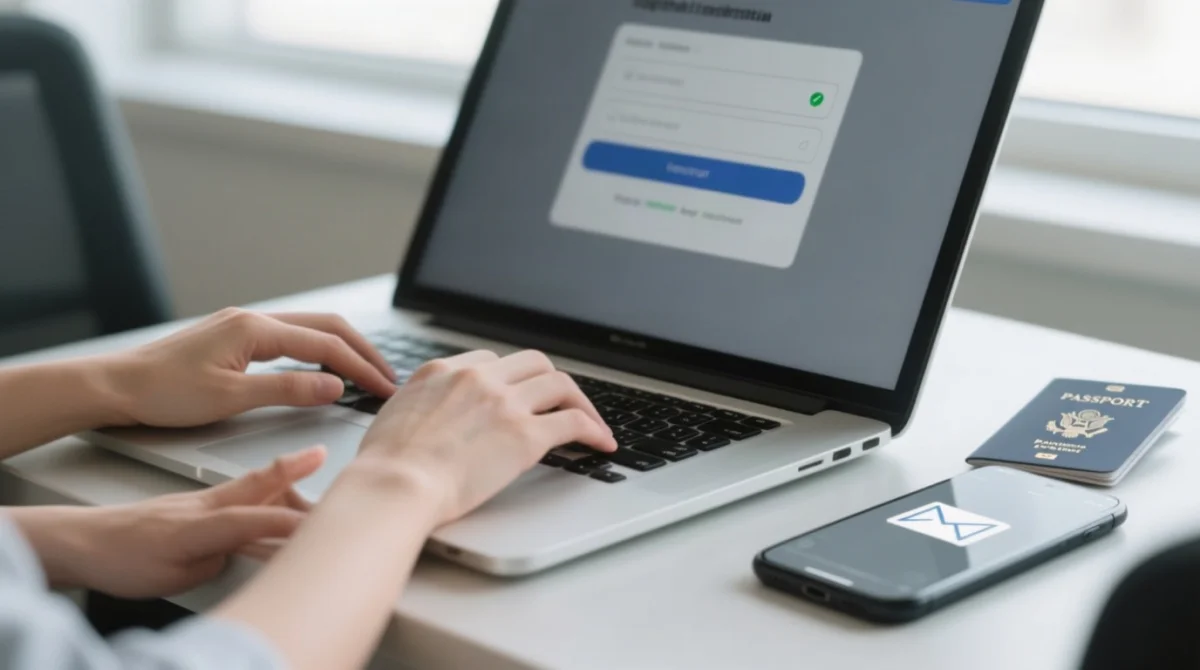
7-Step Registration Walkthrough
Go to the portal and click Register
Visit https://evisa.gov.mz and click Register.
Enter your email address
This becomes the login identifier for the Mozambique eVisa portal login.
Enter your full name
Use the name as it appears on the passport you will travel with.
Create a password
Set a password meeting the portal’s security requirements.
Solve the CAPTCHA verification
Complete the CAPTCHA to verify you are not a robot.
Submit the registration form
Review your details and submit the form to create your account.
Activate your account via confirmation email
The Mozambique eVisa Portal sends the activation email within 5 to 15 minutes; click the confirmation link to activate your account.
Activation Email Troubleshooting
If the activation email has not arrived, check your spam or junk folder, whitelist the evisa.gov.mz domain, wait 15 minutes, then request a new link from the Mozambique eVisa Portal.
How Long Does the Confirmation Link Stay Active?
The confirmation link has a limited validity window, so click it promptly after receiving the email. After activation, your account is ready for first login on the Mozambique eVisa Portal.
Logging In, Resetting Your Password, and Account Security on the Mozambique eVisa Portal
To complete the mozambique evisa portal login, enter your registered email address and password on the secure login page, pass any CAPTCHA or two-factor authentication check, and use the Forgot Password link if you are locked out.
The Login Flow: What You Enter to Log In
The Mozambique eVisa portal login page requires the email address and password from registration. After passing a CAPTCHA or security check, the portal grants access to your dashboard, which displays your application list, profile settings, and a logout button.
Two-Factor Authentication: What to Expect
The Mozambique eVisa Portal may require a one-time password (OTP) sent via email during login or at the payment stage. If the OTP does not arrive, check your spam or junk folder, wait 2-3 minutes, then request a re-send.
How to Reset Your Password If You’re Locked Out
Click Forgot Password on the login page, enter the email associated with your account, and the Mozambique eVisa Portal sends a reset link to your inbox. Click the link, which has a limited validity window, and set a new password meeting the portal’s security requirements, then re-login.
Does the Portal Save My Progress?
The Mozambique eVisa Portal enforces an idle session timeout. Complete and save forms promptly to avoid losing unsaved data.
Security Best Practices
- Always log out on shared or public devices.
- Do not save passwords in public browser sessions.
- Ensure the address bar shows
evisa.gov.mzwith an HTTPS connection before entering credentials.
Managing Your Profile, Tracking Applications, and Portal Compatibility on the Mozambique eVisa Portal
The Mozambique eVisa dashboard lets users edit profile details, track application statuses, download approved preliminary eVisa PDFs for printing, and the portal works best on Chrome, Firefox, Edge, or Safari.
Dashboard Navigation and Profile Fields
Editable fields on the Mozambique eVisa Portal include name, email, phone number, nationality, and passport details. Correcting profile data after submission may require filing a new application.
Tracking Application Status and Downloading Your eVisa
The Mozambique eVisa Portal labels each application Pending (under review), Approved (ready to download), or Rejected (with reason if provided). Approved preliminary eVisa or eTA PDFs must be printed and presented at boarding and arrival in Mozambique. Standard processing time varies; rush processing takes 5-7 working days and super-rush takes 3-5 working days, both at additional cost.
Can One Account Manage Multiple Applications?
One account can submit multiple applications, allowing a parent or group organiser to apply on behalf of family members or colleagues from a single Mozambique eVisa Portal dashboard.
Portal Compatibility and Troubleshooting
A February 2026 redesign introduced the current Mozambique eVisa Portal version. Disable pop-up blockers to allow document uploads, and clear cache or cookies to resolve login loops. Desktop or laptop access is recommended over mobile for full functionality.
| Browser | Supported | Known Issues |
|---|---|---|
| Chrome | Yes (latest) | Pop-up blocker may block uploads |
| Firefox | Yes (latest) | Cache clearing needed for login loops |
| Edge | Yes (latest) | Pop-up blocker may block uploads |
| Safari | Yes (latest) | Limited mobile responsiveness |
FAQ: Mozambique eVisa Portal Login and Account Management
How do I log in to the Mozambique eVisa portal for the first time?
Create an account first (Register, CAPTCHA, confirm email), then log in with email and password on the Mozambique eVisa portal login page.
I forgot my Mozambique eVisa password. How do I reset it?
Use Forgot Password, enter email, follow reset link, set new password. The link expires quickly.
The Mozambique eVisa activation email hasn’t arrived. What should I do?
Check spam/junk, whitelist evisa.gov.mz, wait 15 minutes, request a new activation link. Click it promptly once received.
Can I still get a visa at the Mozambique High Commission in London?
No. All tourist/business visas are online only via the Mozambique eVisa Portal. The High Commission (21 Fitzroy Square, W1T 6EL, phone +44 (0) 207 383 3800) handles other consular matters Mon-Fri 10:00-13:00.
Do I need to print my eVisa after it is approved?
Yes. The Mozambique government requires a printed PDF of the preliminary eVisa or eTA at boarding and arrival. A digital copy is not sufficient.
Can I edit my profile details after submitting my application?
You can edit phone number or email in the Mozambique eVisa Portal dashboard. Critical details like passport information may require a new application. Dual passport holders must enter the passport they will travel with, as it cannot be changed after submission.
Is the Mozambique eVisa portal login not working on my browser?
Use latest Chrome, Firefox, Edge, or Safari. Clear cache, disable pop-ups, prefer desktop for full functionality.
Can one account manage applications for my whole family?
One account can submit multiple applications. Enter each traveller’s passport details separately on the Mozambique eVisa Portal.